Compare standard roll widths
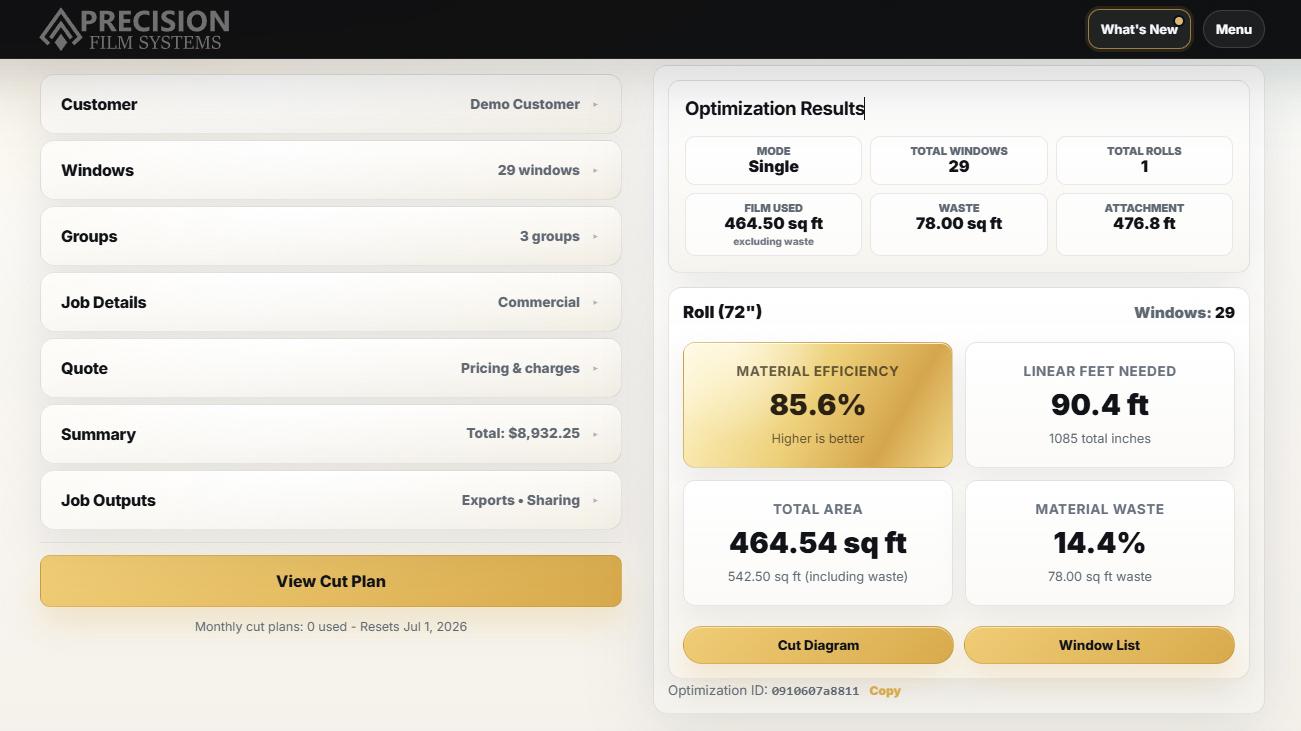
See each standard roll size side by side with efficiency, linear feet needed, and film waste.
Enter window sizes once and turn them into roll comparisons, material numbers, cut plans, quote-ready details, and crew-ready job output.
Manual planning still works. Precision Film Systems works faster.
Enter the window sizes and see efficiency, linear feet needed, total area, and film waste while the job is still fresh from measuring.
See each standard roll size side by side with efficiency, linear feet needed, and film waste.
Bring roll width, linear feet, area, and waste numbers into quoting or material planning without working it out by hand.
Open the selected layout later when it is time to order film, pull from stock, pre-cut, or cut on site.
Use the same job record for film selection, roll planning, sun exposure context, pricing defaults, quote details, and project outputs.
Use the customer workspace as the center of the job, with site details, billing contact, Sun Map access, quote prep, summaries, and job outputs in one place.
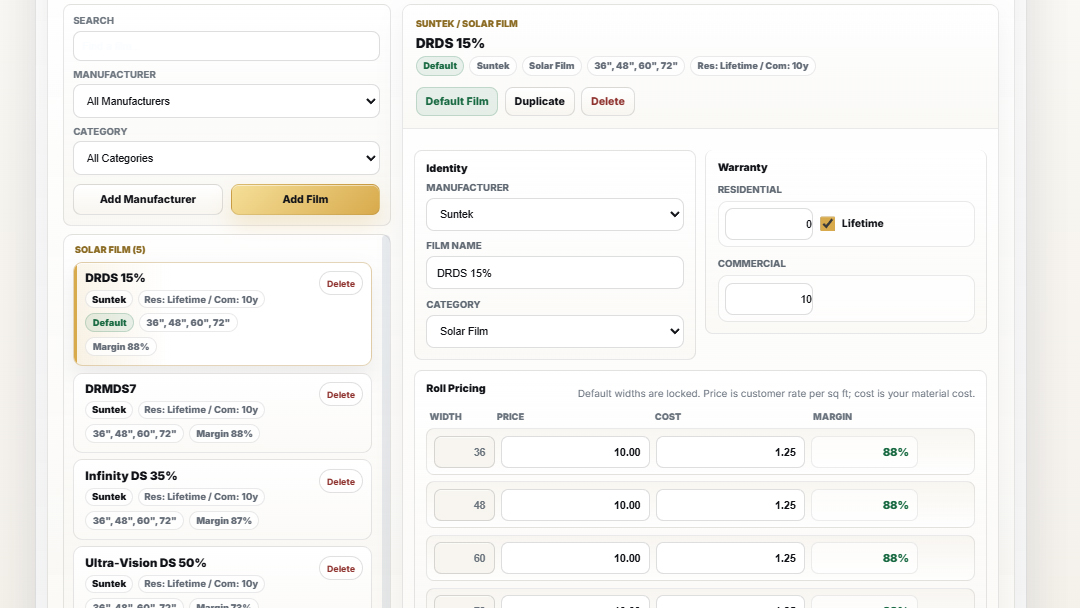
Save manufacturer, category, warranty, roll widths, price, cost, and margin details so the quoting and planning work starts from your actual film catalog.
Use roll-mode options to compare efficiency, linear feet, waste, and fit warnings when a job needs to be planned around a specific roll width or inventory.
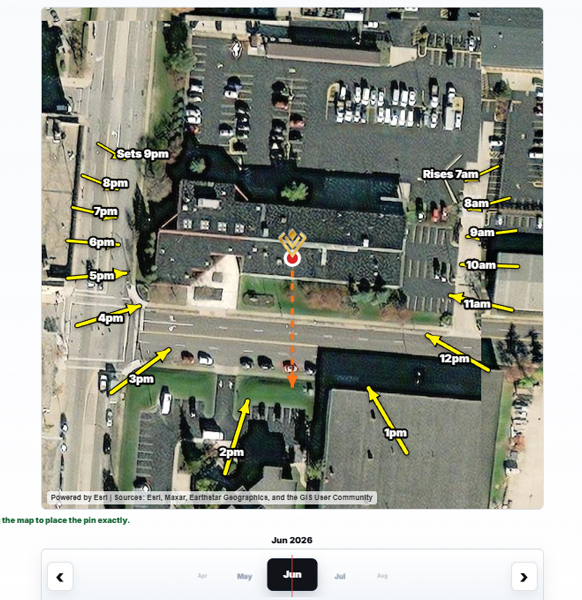
Review seasonal sun direction and site orientation inside the same project so exposure context supports film selection, customer conversations, and job documentation.
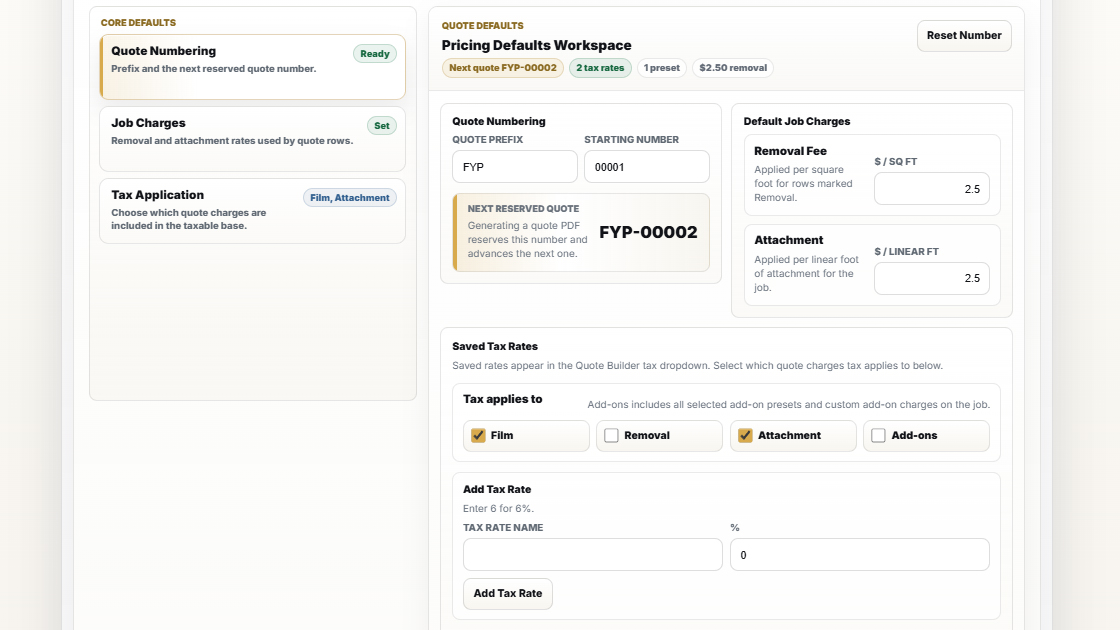
Set quote numbering, tax behavior, removal rates, attachment charges, and job pricing rules, then carry those numbers into quote and summary views.
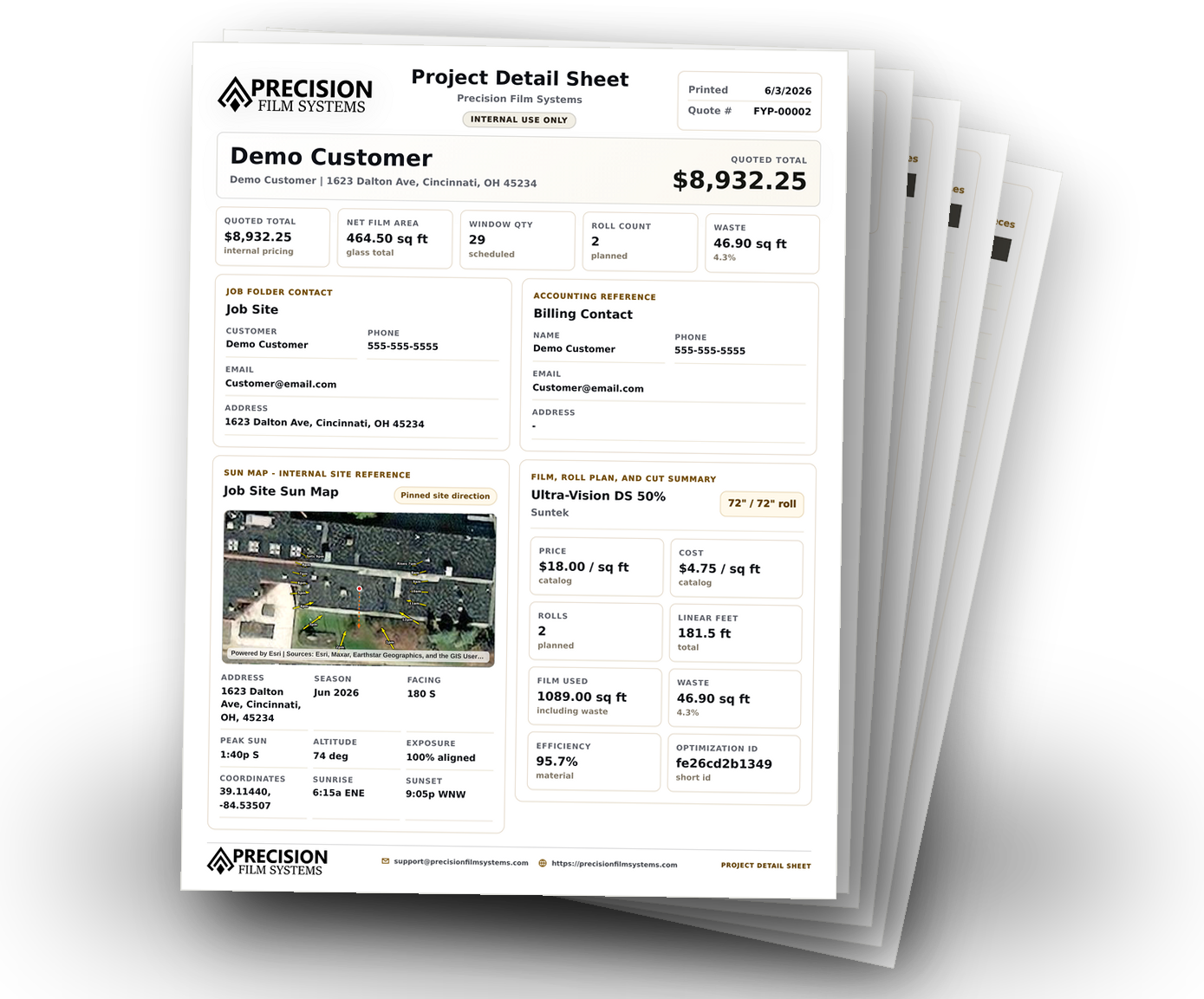
Generate project detail sheets that collect customer info, selected film, roll planning, Sun Map reference, measurements, and quote totals for review or production handoff.
Your install skill is not the problem. The old planning process is. Precision Film Systems gives the job a cleaner path before film ever hits the table.
Notes, roll-width guesses, mental math, and crew interpretation can all drift before the job starts.
Turn measurements into a cleaner job plan in a few clicks, so your crew can focus on the install instead of the mental math.
Precision Film Systems is shaped around the decisions flat glass installers make every day: measurements, roll width, film usage, cut planning, and clean handoffs.
Keep the important job details moving from first measurements to the final crew plan.
Plan around roll width, window sizes, material use, and cut decisions that matter in the shop.
Give installers the job context they need without sending them a pile of notes to interpret.
See what is planned, what needs attention, and where material decisions affect the job.
Short answers to the questions film shops usually ask before bringing new planning software into the workflow.
Mostly. It was built for flat glass film work, but could also be beneficial to sign shops doing storefront graphics.
No. Precision Film Systems focuses on cut planning, film usage, waste reduction, and crew-ready job output.
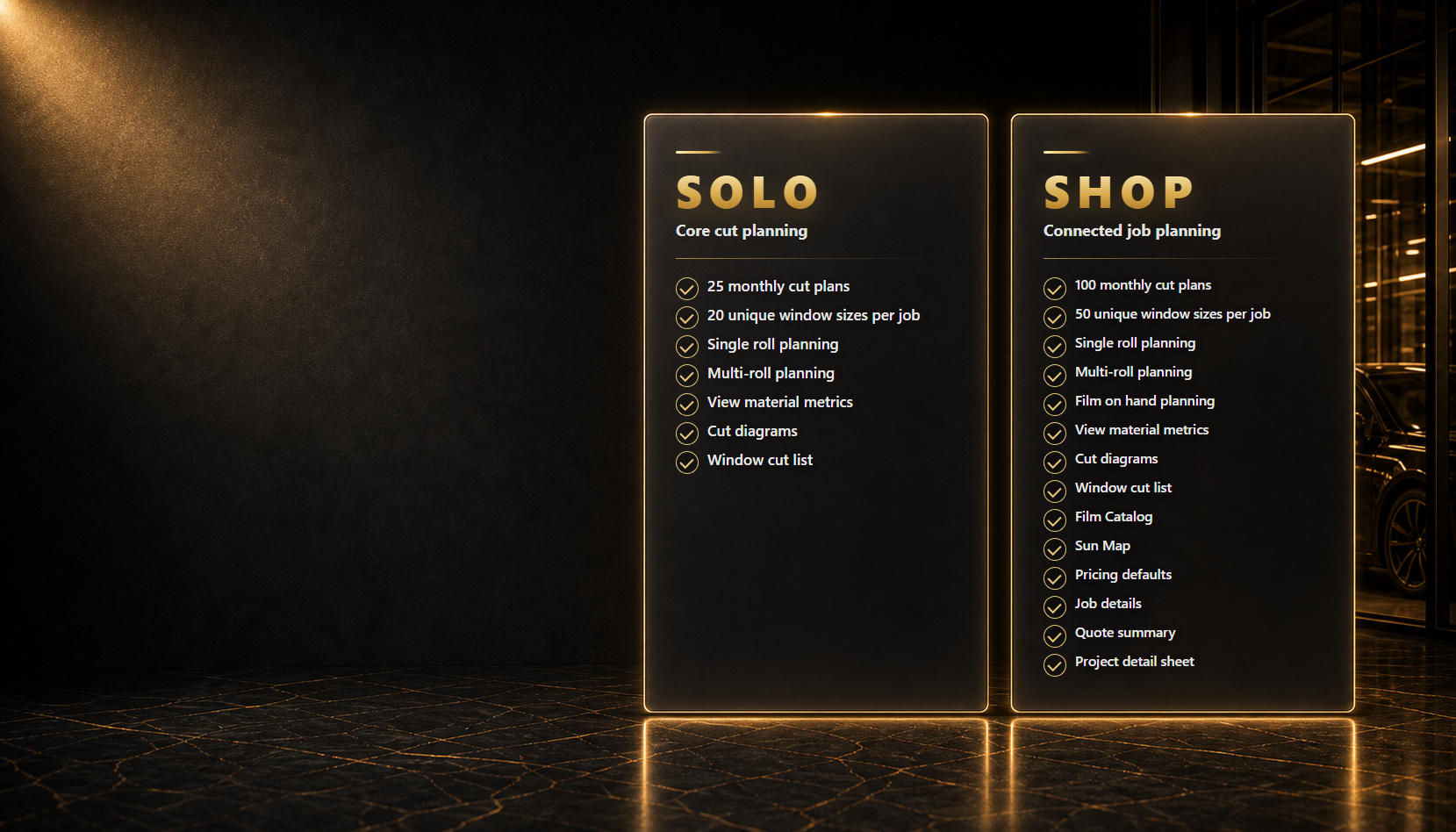
Absolutely! Shop and Pro tier plans include custom roll mode. Enter the film rolls you have on hand, including width and length, and the app plans the job around what you already have.
Yes. The goal is to turn job details into a clear plan your crew can follow without interpreting scattered notes.
Yes. Click the Try It Now button in the top menu to go to Demo mode. You will have limited input, but the output is exactly what you will get when you plan your jobs.
Still have questions? Check out our FAQ page or Contact Us.
Compare plans, try the app, and review clear billing policies before checkout.