- Material efficiency
- 67.9%
- Linear feet needed
- 65.0 ft
- Total area
- 464.54 sq ft
- Waste
- 32.1%
- Waste square footage
- 83.50 sq ft
Four windows do not fit this roll width, so this result is a warning, not the best choice.
Precision Film Systems helps flat glass film installers compare standard roll widths, see linear feet and waste for each option, and generate a cut layout that shows how the job fits on the roll.
Manual planning still works. Precision Film Systems works faster.
Run the same measurements across standard roll sizes and compare efficiency, linear feet needed, and waste side by side before ordering film or building the quote.
The difference is not the glass. It is how the job fits the roll.
Four windows do not fit this roll width, so this result is a warning, not the best choice.
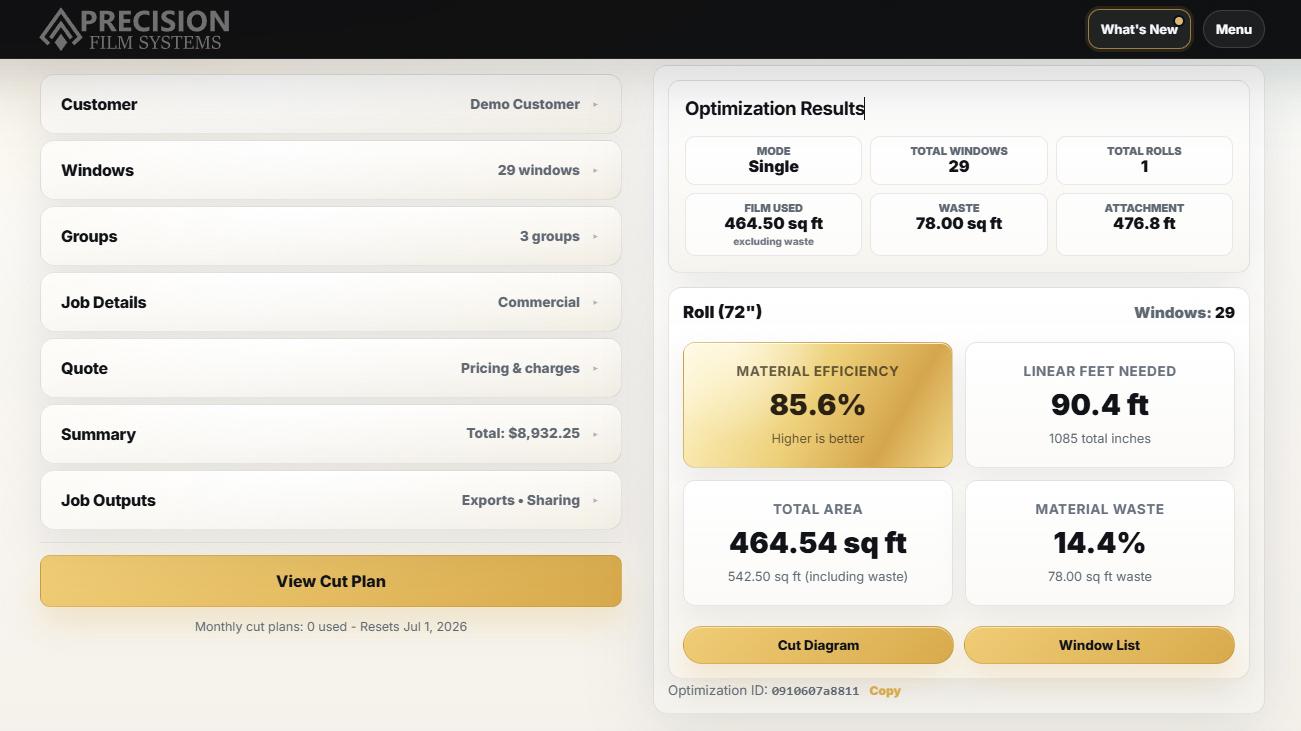
For this job, the 60 inch roll gives the strongest efficiency with the least waste shown.
The 72 inch roll still works, but it comes with a bit more waste. Is the lower efficiency worth fitting the whole job onto a single roll of film? That decision is yours.
Example shown from a 29-window demo job run in Precision Film Systems using the same measurements across standard roll widths.
This is not about replacing how pros measure jobs. It is about reducing repeated planning work after the measurements are already in your hands.
Enter the window sizes and see efficiency, linear feet needed, total area, and film waste while the job is still fresh from measuring.
See each standard roll size side by side with efficiency, linear feet needed, and film waste.
Bring roll width, linear feet, area, and film waste into quoting or material planning without reworking the same measurements later.
Open the selected layout later when it is time to order film, pull from stock, pre-cut, or cut on site.
Use the same job record for film selection, roll planning, sun exposure context, pricing defaults, quote details, and project outputs.
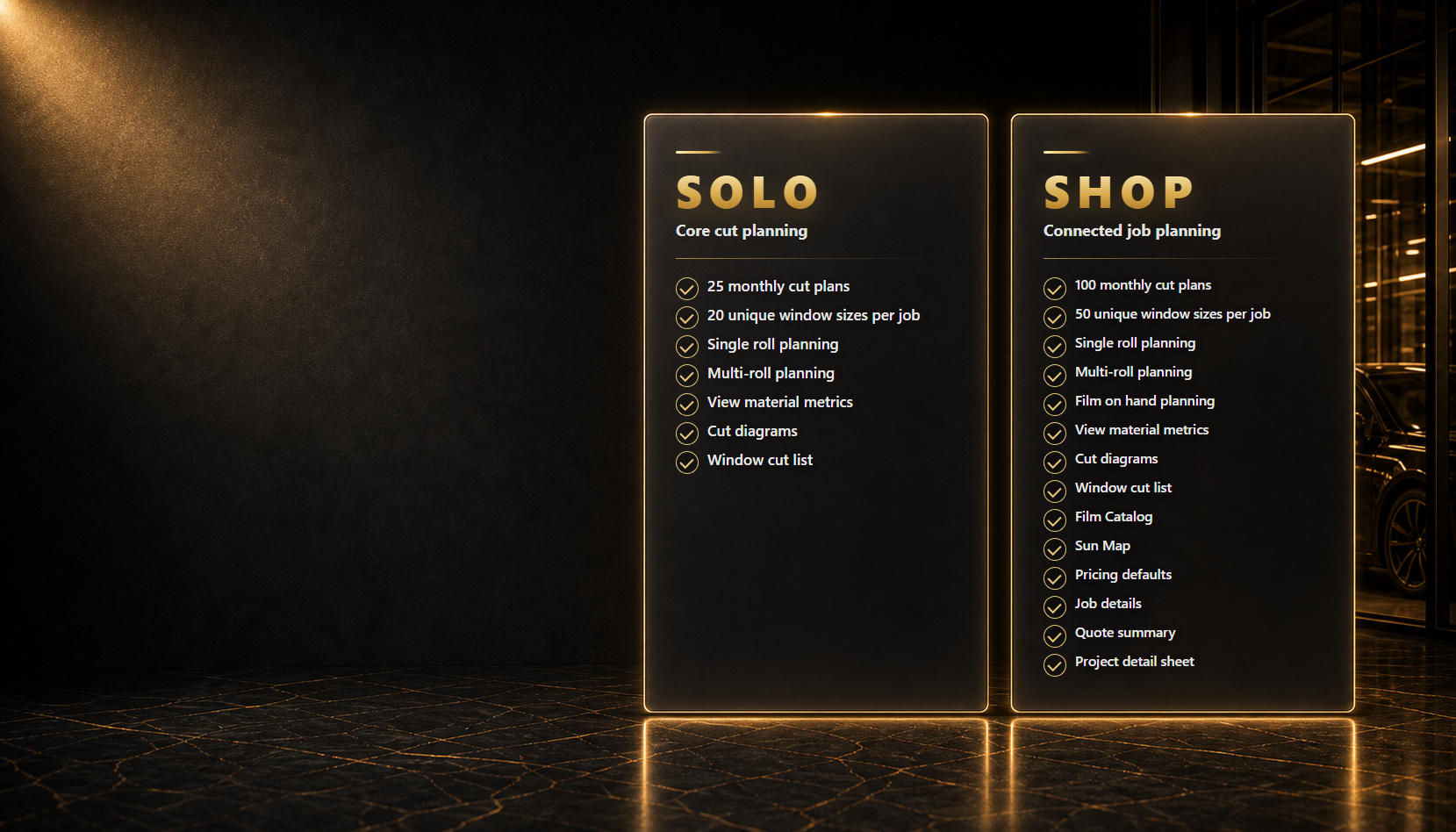
Solo keeps the focus on core cut planning: window sizes, roll comparisons, material number and cut diagrams.
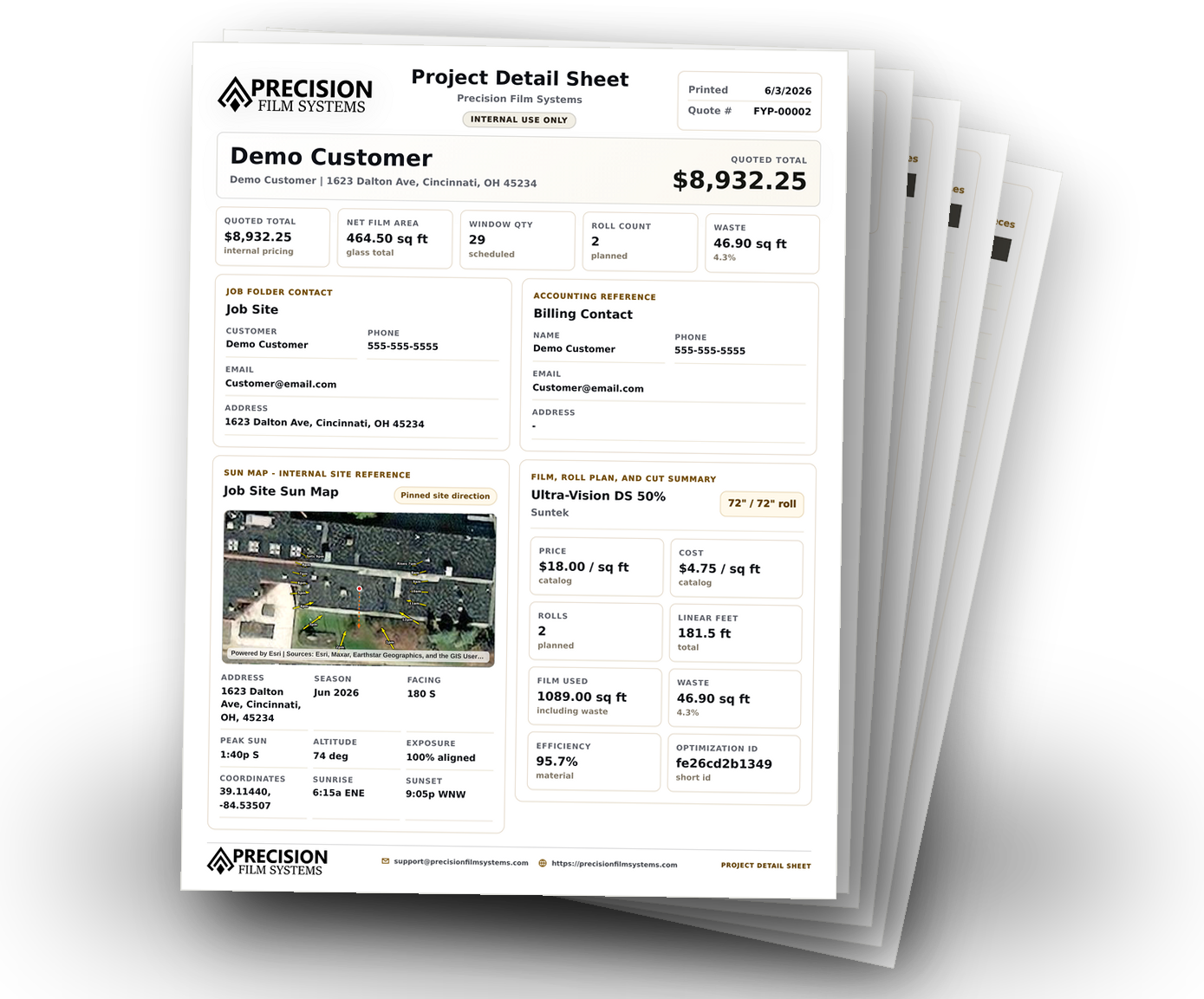
Shop connects more of the job around the plan with film on hand planning, Film Catalog, Sun Map, Pricing Defaults, and Project Detail Sheets.
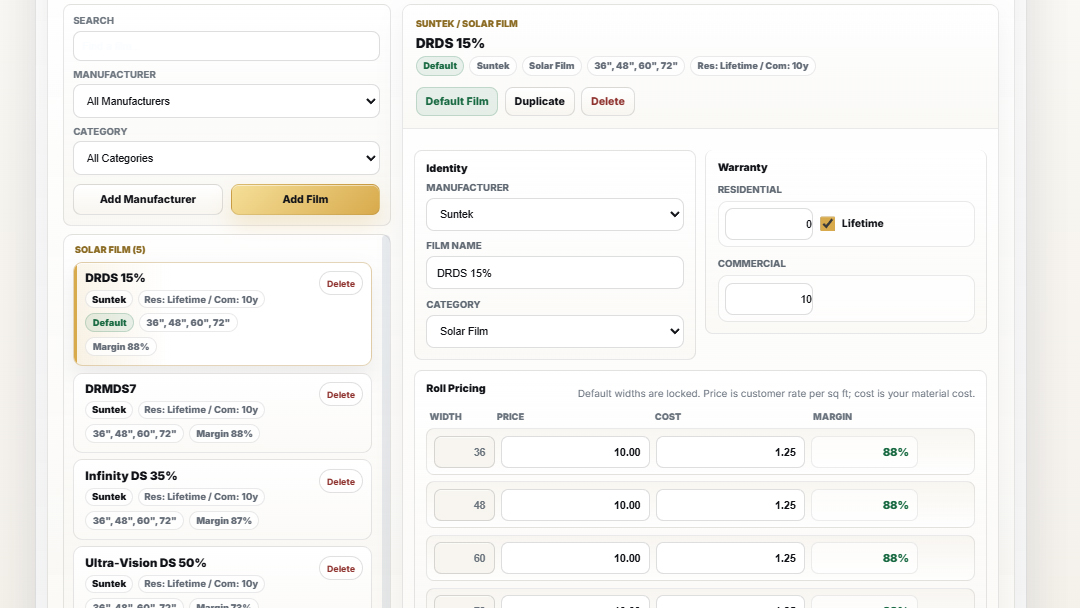
Save manufacturer, category, warranty, roll widths, price, cost, and margin details so planning and quoting start from your real film catalog.
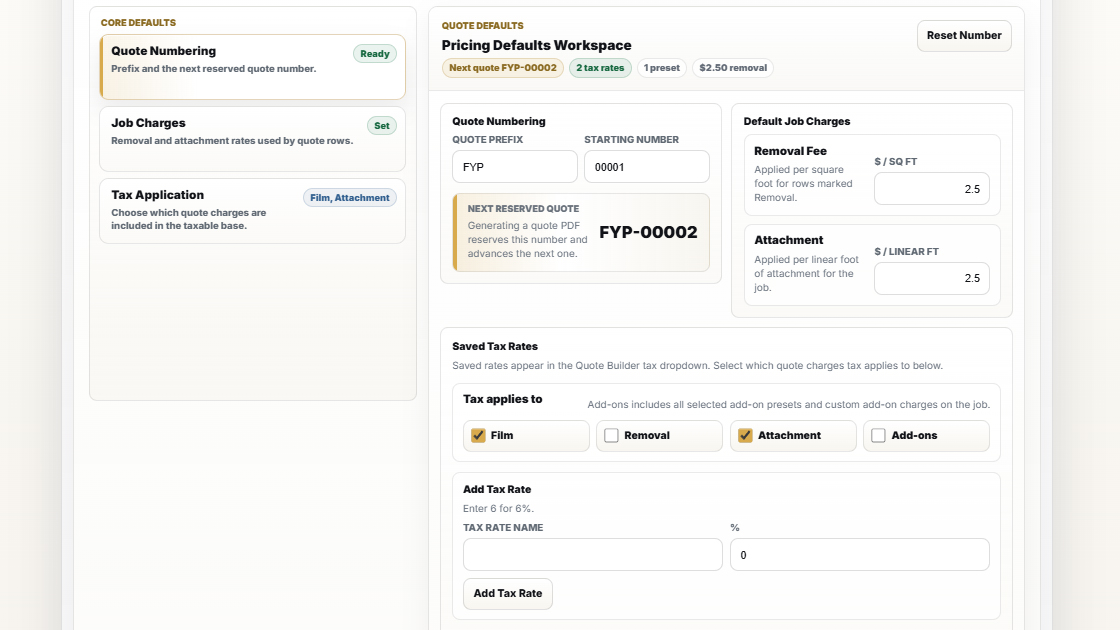
Set quote numbering, tax behavior, removal rates, attachment charges, and job pricing defaults once, then use those details inside the same job workflow.
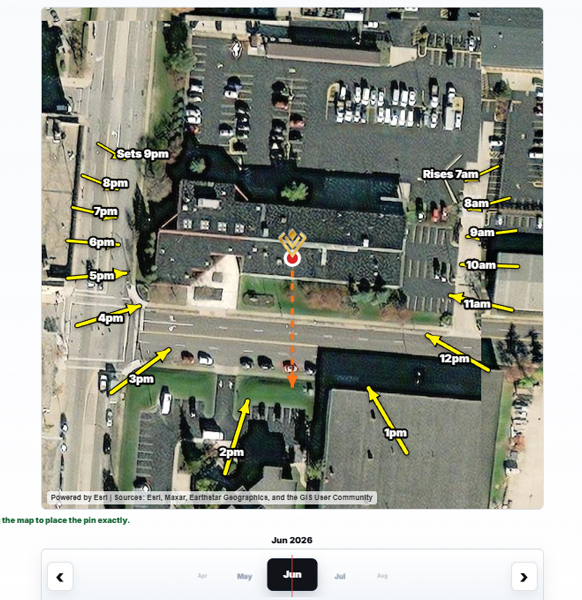
Review seasonal sun direction and site orientation inside the project so exposure context supports film selection, customer conversations, and job documentation.
Generate project detail sheets that collect customer info, selected film, roll planning, Sun Map reference, measurements, and quote totals for review or production handoff.
Precision Film Systems is shaped around the decisions flat glass installers make every day: measurements, roll width, film usage, cut planning, and clean handoffs.
Keep the important job details moving from first measurements to the final crew plan.
Plan around roll width, window sizes, material use, and cut decisions that matter in the shop.
Give installers the job context they need without sending them a pile of notes to interpret.
See what is planned, what needs attention, and where material decisions affect the job.
The Learning Center covers the questions that come up before the job starts: measuring, quoting, roll width, film waste, film selection, glass risk, and keeping the plan clear from estimate to install.
Turn measurements into roll-width decisions, material numbers, and a cleaner cut plan before the job gets away from you.
Square footage, linear feet, film waste, removal, attachment, and the numbers that affect the quote.
A practical starting point for thinking about sun exposure, glass type, manufacturer guidance, and jobs that deserve a closer look.
Keep customer details, selected film, measurements, notes, and crew output tied to the same job plan.
Short answers for shops deciding where Precision Film Systems fits in their planning workflow.
Not exactly. Precision Film Systems is not meant to replace a full estimating, CRM, or invoicing system, but the Shop plan does include tools that support quoting. You can save film details, use pricing defaults, review material totals, build quote-ready summaries, and keep job details connected to the same cut-planning workflow.
No. You still measure the job the way you already do. Precision Film Systems gives those measurements a cleaner path into roll planning, material numbers, cut diagrams, quote details, and crew-ready output.
Yes, with the Shop plan. Film on hand planning lets you plan around film you already have instead of only comparing standard roll widths.
Precision Film Systems is built around architectural window film workflows. It may help with some similar roll-based planning, but the app is designed for flat glass measurements, roll width decisions, material usage, and cut planning.
Yes. The goal is to give the crew a clearer job handoff with measurements, selected film, planning details, cut information, and job context in one place.
Need more detail? See the full FAQ.
Try the demo or start a 14-day trial and see how Precision Film Systems handles your measurements, roll options, material numbers, and job output.
Still deciding? Try the demo or start your risk-free trial today.